Why Choose Winsaa?

Professional time management tools to help you improve work efficiency and quality of life

⏱️

Precise Time Tracking

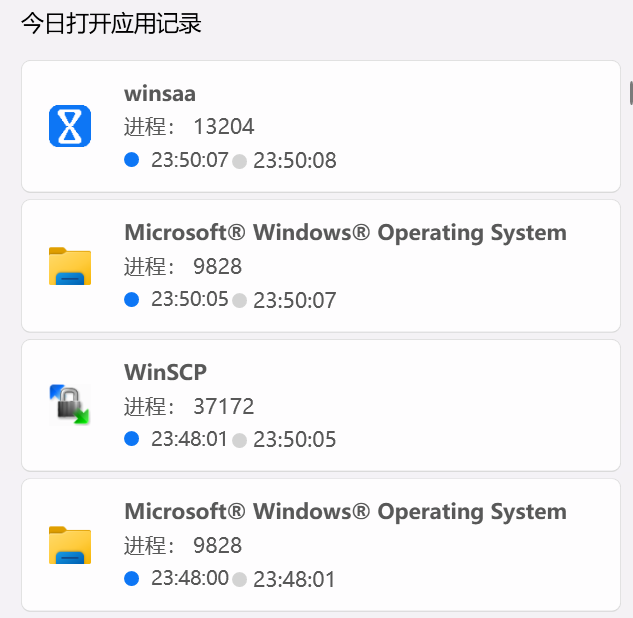
Automatically record the usage time of each application, accurate to the second, helping you fully understand time allocation.

📊

Visual Reports

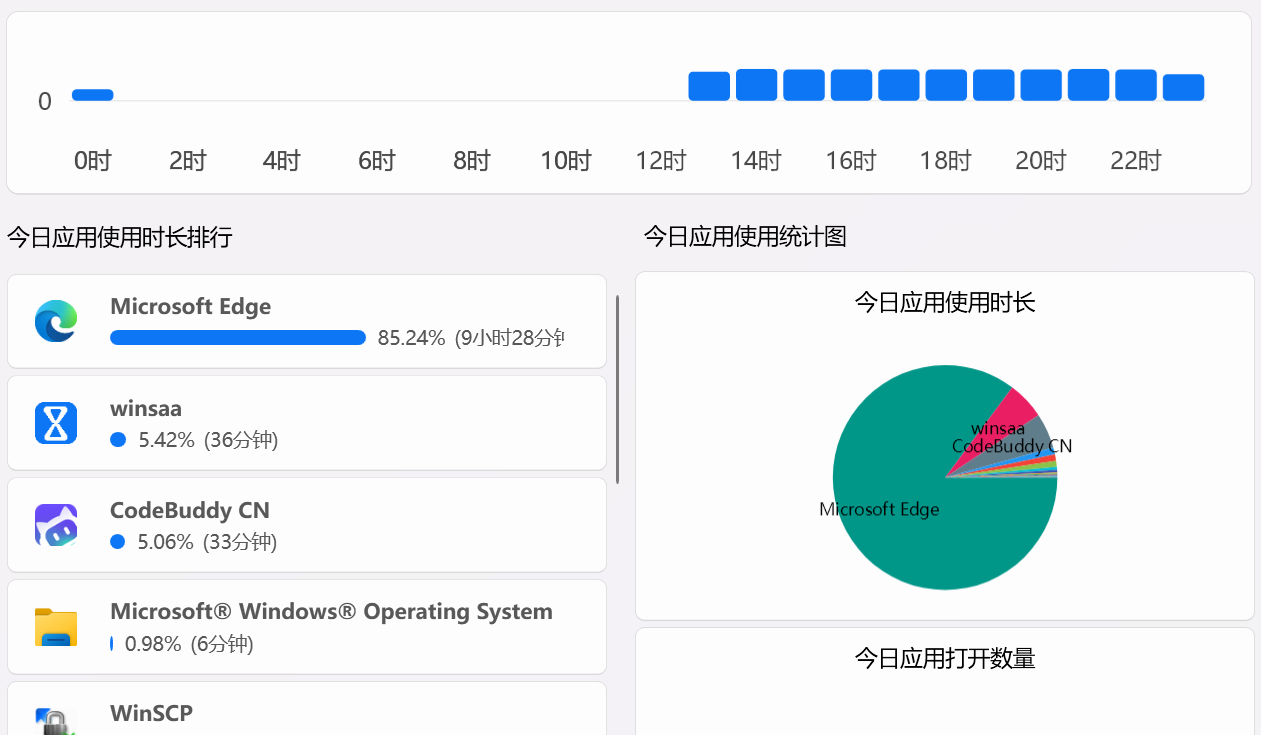
Generate daily, weekly, and monthly time allocation reports, making time consumption clear at a glance, supporting export for analysis.

🔔

Personalized Reminders

Set goals, trigger automatic reminders when app usage exceeds limits, helping you develop good usage habits.

🎯

Smart Categorization

Automatically categorize apps into work, entertainment, learning, etc., helping you better balance life and work.

🔒

Privacy & Security

All data is stored locally, not uploaded to the cloud, with end-to-end encryption to protect your privacy and security.

⚙️

Flexible Customization

Support custom rules, time period limits, app blacklists, and other features to meet personalized needs.

Data-Driven Results

Real user improvements, backed by data

0
Active Users
Using Winsaa to boost efficiency
0
Efficiency Boost
Average work time utilization
0
User Rating
From real user reviews
0
Hours Saved
Daily average wasted time saved

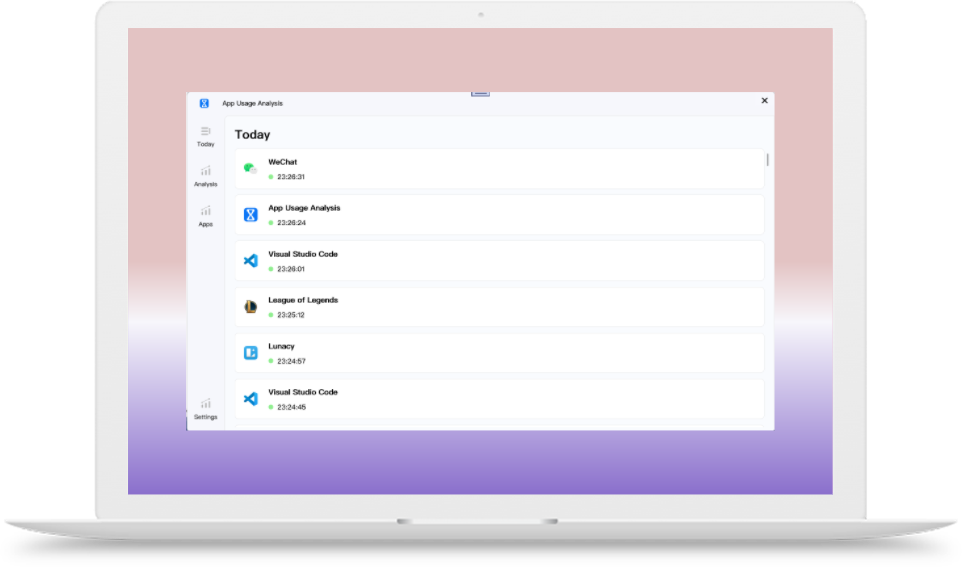
Interface Preview

Clean and intuitive user interface, powerful yet easy to use

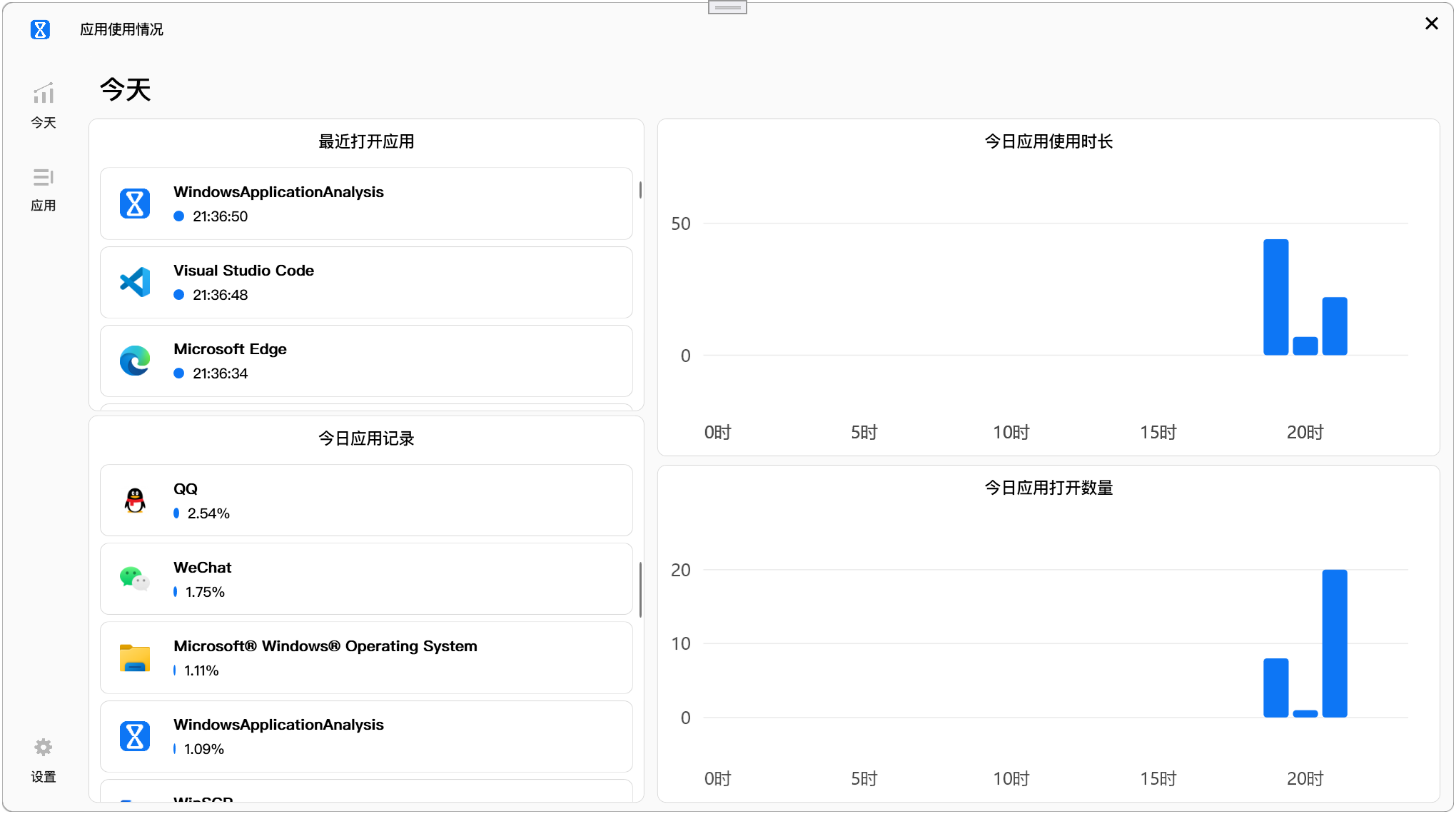
Winsaa Dashboard

Data Dashboard

Real-time view of app usage at a glance

Winsaa Reports Page

Detailed Reports

Multi-dimensional analysis for deep understanding of time usage patterns

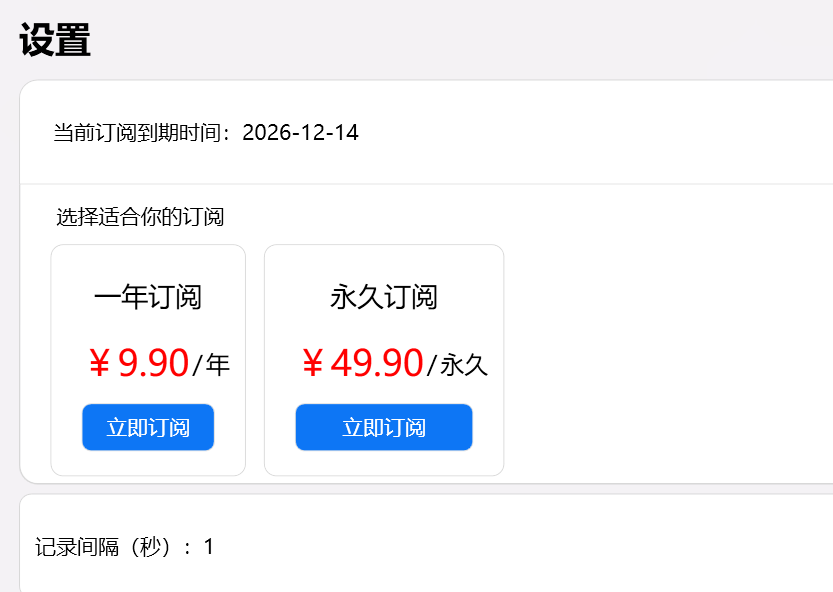
Winsaa Settings Page

Flexible Settings

Personalized configuration to meet different needs

User Feedback

Voices from real users, witnessing the beginning of change

Ming Zhang - Product Manager

"After using Winsaa for a month, my work efficiency improved by 30%. The most shocking discovery was wasting 3 hours daily on social media. Now I use that time for learning and fitness."

Hui Li - Entrepreneur

"As a startup founder, time is life. Winsaa helped me find time black holes. Now our team's overall efficiency improved by 20%, making data-driven management more scientific!"

Hao Wang - College Student

"Gaming once took up most of my day. Now through Winsaa's strict controls, not only did my grades improve significantly, but I also have time to develop hobbies and live a more fulfilling life."

Jing Chen - Freelancer

"Freelancing most fears chaotic time management. Winsaa's report feature lets me clearly understand time investment in each project, making quotes more accurate and income higher!"

Qiang Liu - Programmer

"When focusing on programming, I often forget time. Winsaa's reminder feature helped me find the perfect balance between work and rest. Code quality and work state both improved!"

Li Zhao - HR Director

"Recommended it to the entire team. Through data, we can better understand employee workloads, assign tasks reasonably, and team collaboration efficiency significantly improved."

Start Your Efficiency Journey Now

Step 1

Click the "Download" button to get the installer.

Step 2

Install and run Winsaa to start tracking.

Step 3

View reports and optimize your time allocation.

Choose Your Plan

1-Year Subscription

$6.9

/ year

Automatic app usage tracking

Daily app usage timeline

App usage statistics by category

App usage time limit

App usage period limit

1-year subscription

Lifetime Subscription

$33.9

/ lifetime

Automatic app usage tracking

Daily app usage timeline

App usage statistics by category

App usage time limit

App usage period limit

Lifetime subscription

Priority technical support

Frequently Asked Questions

Common questions about Winsaa, with detailed answers here

Q: Will the software slow down my computer?

A: No, Winsaa uses lightweight design with background memory usage < 100MB and CPU usage below 1%. It runs almost imperceptibly in the background without affecting computer performance.

Q: Which operating systems are supported?

A: Currently supports Windows 10/11 systems, including Home, Professional, Enterprise, and all other versions.

Q: Is installation complicated?

A: Very simple. Just download the installer, double-click to run, and follow the prompts to complete installation. The whole process takes less than 2 minutes.

Q: Can it monitor multiple users simultaneously?

A: Each Windows user account requires separate installation and configuration of Winsaa, ensuring each user's data remains independent and private.

Q: Can data be exported?

A: Premium and above versions support exporting data to Excel, CSV, and PDF formats for further analysis and archiving.

Q: What types of applications can be monitored?

A: Winsaa can monitor all Windows applications, including desktop software, UWP apps, browsers, games, and almost all commonly used applications.

Q: Is my data secure?

A: Absolutely secure! All data is stored only on local devices, not uploaded to the cloud. Uses AES-256 encryption to protect data, and we cannot access any of your usage data.

Q: Will it record sensitive information?

A: It will not record any specific content, only metadata such as app names and usage duration. It doesn't record chat content, browsing history, or other sensitive information.

Q: Can data be obtained by third parties?

A: Absolutely not. Winsaa's core functions don't require internet connection to run normally. Local data will not be actively or passively transmitted to any third parties.

Q: What's the difference between free and paid versions?

A: The free version provides basic time statistics features. Paid versions add detailed reports, data export, advanced reminders, custom rules, and other premium features.

Q: How to purchase a new subscription?

A: Click "Settings" → "Choose Subscription" in the software to select the appropriate plan. WeChat Pay is supported.

Q: Do you support refunds?

A: We provide a 7-day no-reason refund guarantee. If you're not satisfied with the product, you can apply for a full refund.

Q: How to contact customer service when encountering problems?

A: You can contact us via email at support@lightcode.ltd. Working hours are 10:00-17:00, and we will reply within 24 hours.

Q: Does the software update automatically?

A: Yes, Winsaa supports automatic updates. It will detect new versions in the background and prompt for installation. You can also choose to update manually.

Q: Are there usage tutorials?

A: The website has usage tutorials and help documentation, as well as video tutorials to help you get started quickly.

System Requirements

Ensure your system meets requirements for the best experience

🖥️

Operating System

  • Windows 10 (version 1903 or higher)
  • Windows 11 (all versions)
  • Supports 32-bit and 64-bit systems
  • Includes all update patches
💾

Hardware Requirements

  • Memory: Minimum 2GB RAM (4GB+ recommended)
  • Storage: At least 200MB free space
  • Processor: Intel/AMD dual-core processor
  • Graphics: DirectX 9.0 or higher support
🌐

Network Requirements

  • Offline use: Core functions supported
  • Online features: Internet connection required
  • Update downloads: Stable network needed
  • Bandwidth: Minimum 1 Mbps

Technical Support

We provide comprehensive technical support to ensure worry-free usage

📧

Email Support

Professional customer service team to answer technical questions

Send Email
📚

Help Documentation

Detailed usage guides and FAQ answers

View Documentation
🎥

Video Tutorials

Step-by-step guidance for using various features

Watch Tutorials
💬

Online Customer Service

Real-time customer service online for Q&A

Working Hours

Monday to Friday: 10:00 - 17:00

Weekends: 10:00 - 15:00

Response Time

General issues: Within 24 hours

Urgent issues: Within 4 hours

Supported Languages

Chinese, English

Expanding to more languages